Scalp Tool
On the one-minute chart the move is gone before you have finished working out your lot size. This puts the signal, its levels and the buy and sell buttons in the same place, on the chart you are already watching.
What this is not
This is a workflow tool, not an automated robot. It marks the setup and places the order you tell it to — it does not trade on your behalf, and every position is opened by you with a click. What it removes is the thirty seconds of arithmetic between seeing a setup and being in it. If you are looking for something that trades while you sleep, this is the wrong product and we would rather you knew now.
What you are actually buying
A panel that sits on your MetaTrader 5 gold chart. It watches for the one-minute setup it knows, and when it finds one it draws the entry, the stop and the targets, then gives you the buttons to act on them without leaving the chart.
That is the whole product. It is deliberately small.
Why it exists
The one-minute chart punishes hesitation. By the time you have looked up your account balance, decided what one percent of it is, converted that into a lot size for the stop distance you want, and typed it into the order window, the entry you were aiming at is thirty pips behind you.
None of that arithmetic is skill. It is friction. This removes it.
What it will not do
It will not trade for you and it will not tell you which way the market is going next. Those decisions stay with you — the tool exists to get you into the trade you have already decided on, cleanly and without arithmetic.
What it does
On the chart
Signals with their levels already drawn
When a setup appears you get the entry, the stop and five take-profit levels drawn on the chart, plus a list of the recent signals so you can see what the tool has been doing rather than trusting the one in front of you.
Risk in money, not lots
Type the amount you are willing to lose and the panel works out the lot size from your stop distance. Stops and targets are set in currency, not points, so you are never converting pips in your head mid-move.
Partial closes on one button
Take a fixed percentage off a running position without opening the order dialog. The remainder keeps its stop and targets.
Trailing and basket exit
A trailing stop that only touches this tool's own trades, and a basket close that flattens everything it opened when the group hits your number.
Your positions, live
Open trades, their current result and the buttons to manage them, in the same panel — not a separate terminal window you have to go and find.
Multi-timeframe context
A popup showing trend direction from M1 up to D1, so you can see whether the one-minute setup is leaning against the higher timeframes before you take it.
On a real chart
What it looks like running
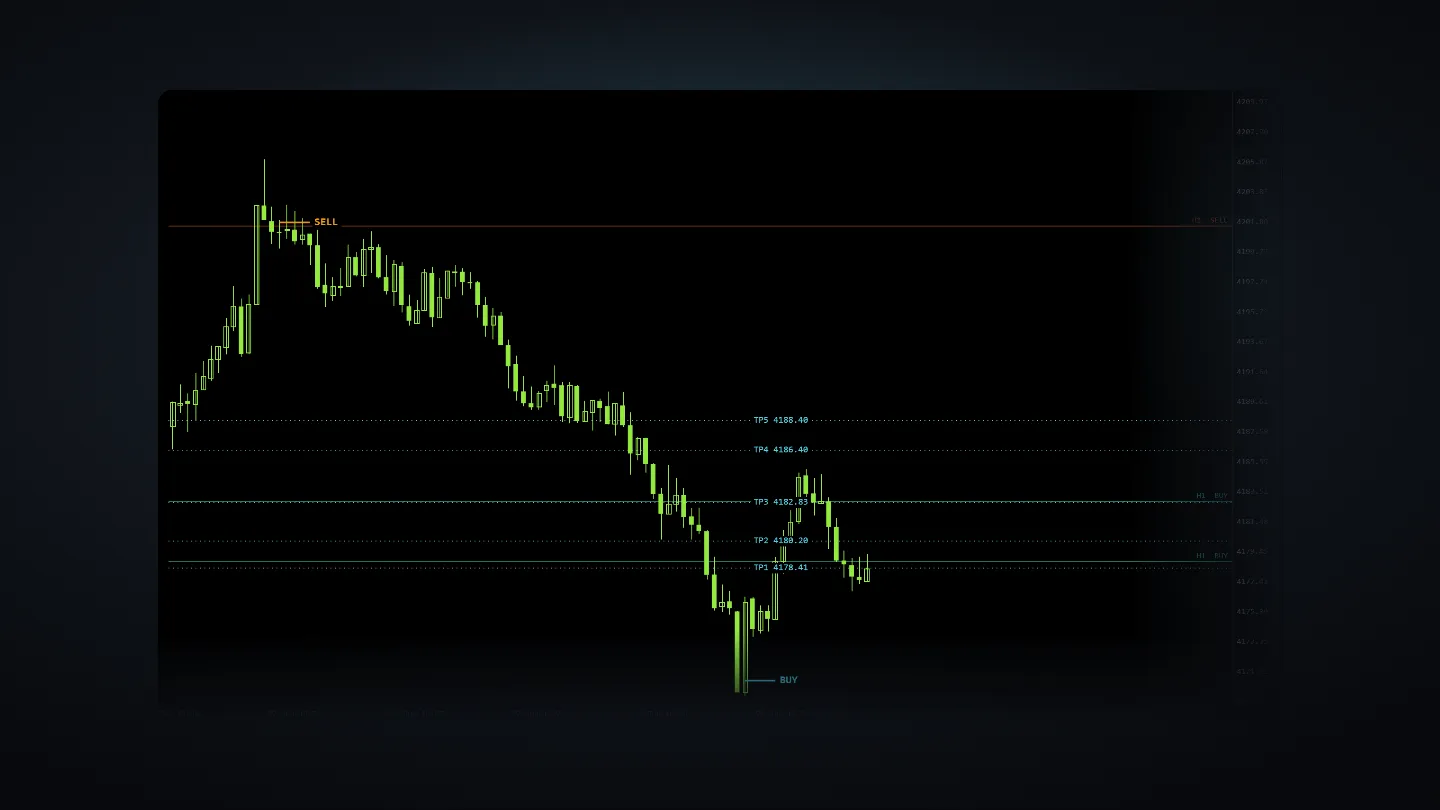
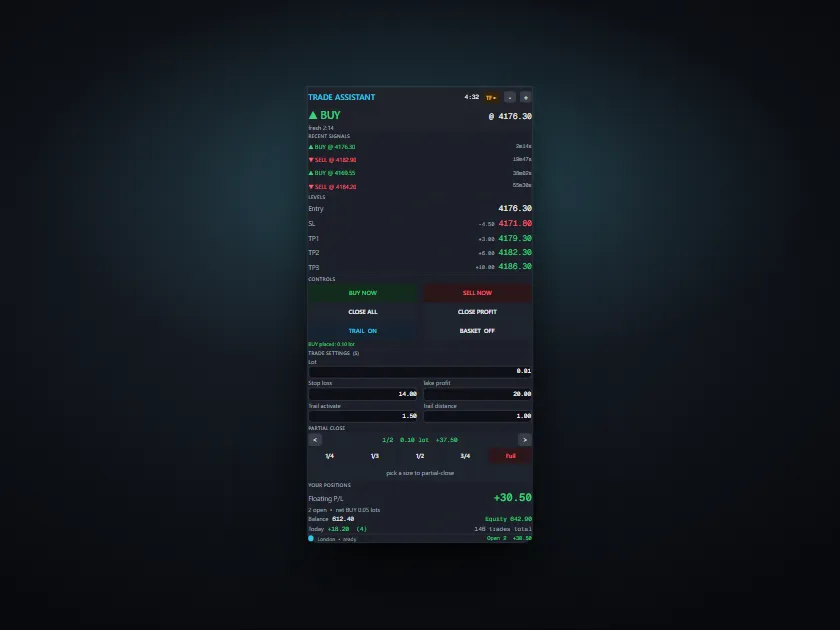
The tool's own chart output, rendered from a real 92-bar M1 session — not a photo. A SELL at the high, its five take-profit levels, and the BUY it leads to at the low.
Before you buy
Check these apply to you
If any of these is not true, this is the wrong product and we would rather you did not buy it.
- MetaTrader 5. This will not run on MetaTrader 4.
- A Windows PC or a Windows VPS. There is no Mac or mobile version.
- A broker whose gold symbol you can trade — usually XAUUSD.
- You place the trades. It is not a hands-off robot and will never open a position on its own.
- You are comfortable making your own trading decisions — the tool does not make them for you.
Questions
The things people ask first
Is this a robot? Will it trade for me?
No. It draws signals and gives you buttons. Every position is opened by you, deliberately, with a click. If nobody is at the keyboard, nothing happens.
Can I try it before buying?
You can run it in the MetaTrader Strategy Tester, which shows the panel and the signals on historical bars. It cannot be trialled on a live chart, because the copy you receive is compiled against your account number.
Why do you need my account number?
Your copy is compiled to run only on that account. It is the licence. We ask for the account number only — never your password or investor password, and anyone who does ask for those is trying to rob you.
What if I change broker or open a new account?
Ask for a rebuild and we compile a fresh copy against the new account number. You get five rebuilds included, which covers a broker change and then some.
Do I get refunds?
No, and you should know why before you buy. Once your copy is compiled and sent, the file is on your machine and cannot be recalled. Read the requirements above carefully — they are there to talk the wrong buyer out of this.
Do I get updates?
Yes. Fixes and improvements are free for the life of the product.
The other one
There are two tools and they overlap. Read this before buying both.
Coming soonTrade Panel
Order entry, risk and exits on the chart — any pair.
This one has no signals in it at all.