Trade Panel
The execution half on its own. Size a trade by the money you are risking, take partials, trail a stop and close a basket — from a panel on the chart, on whatever pair you trade.
What this is not
This one has no signals in it at all. It does not tell you when to trade, what to trade or which way — it is the order ticket, the risk maths and the exit buttons, in one panel on the chart. If you already know what you want to do and want to do it faster and without arithmetic, that is exactly what this is.
What it is
The order-entry and trade-management half of our gold tool, pulled out and made to work on any symbol.
Why it is separate
Most people who asked about Scalp Tool did not want the gold signals — they wanted the panel. Charging them for a signal engine they will not use is a worse deal than selling the panel on its own.
What it is not
There are no signals in this. It will not mark up your chart, will not suggest a direction, and has no opinion about the market. It makes the trade you have already decided on faster to place and easier to manage.
What it does
On the chart
Size by money, not by lots
Type what you are willing to lose and the panel works out the lot size from your stop distance. Stops and targets are set in currency, so you are never converting pips in your head.
One-click partial closes
Take a set percentage off a running position without opening the order dialog. What is left keeps its stop and targets.
Trailing that minds its own business
The trailing stop only ever touches positions this panel opened. It will not wander onto trades placed by hand or by another tool.
Basket exit
Close everything the panel opened at once when the group hits your number, up or down.
Positions in front of you
Open trades, what each is currently worth, and the buttons to manage them — in the panel, not in a separate window.
On a real chart
What it looks like running
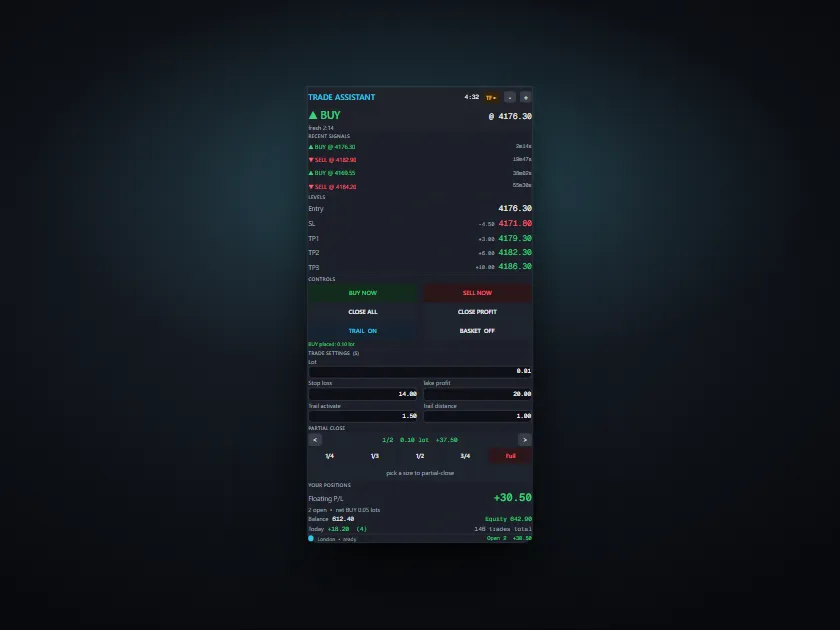
The shared panel interface — risk-based sizing, levels, one-click partials and exits, open positions. This capture is shown as part of Scalp Tool, so its signal row is visible at the top; Trade Panel is this same panel with that signal engine removed, for use on any symbol.
Before you buy
Check these apply to you
If any of these is not true, this is the wrong product and we would rather you did not buy it.
- MetaTrader 5. This will not run on MetaTrader 4.
- A Windows PC or a Windows VPS.
- It contains no signals and no analysis. You decide every trade.
- You are comfortable making your own trading decisions — the panel does not make them for you.
Questions
The things people ask first
Does it work on pairs other than gold?
Yes — that is the point of this one. It reads the symbol's own contract details for the risk maths, so it works on whatever chart you put it on.
What is the difference between this and Scalp Tool?
Scalp Tool is this panel plus a one-minute gold signal engine. This is the panel on its own, for any pair. If you want the gold signals, buy that one — do not buy both, you would be paying twice for the same panel.
Does it place trades on its own?
No. Every position is opened by you, with a click. It is a faster order ticket.
Why do you need my account number?
Your copy is compiled to run only on that account. That is the licence. We ask for the account number only — never your password or investor password.
The other one
There are two tools and they overlap. Read this before buying both.
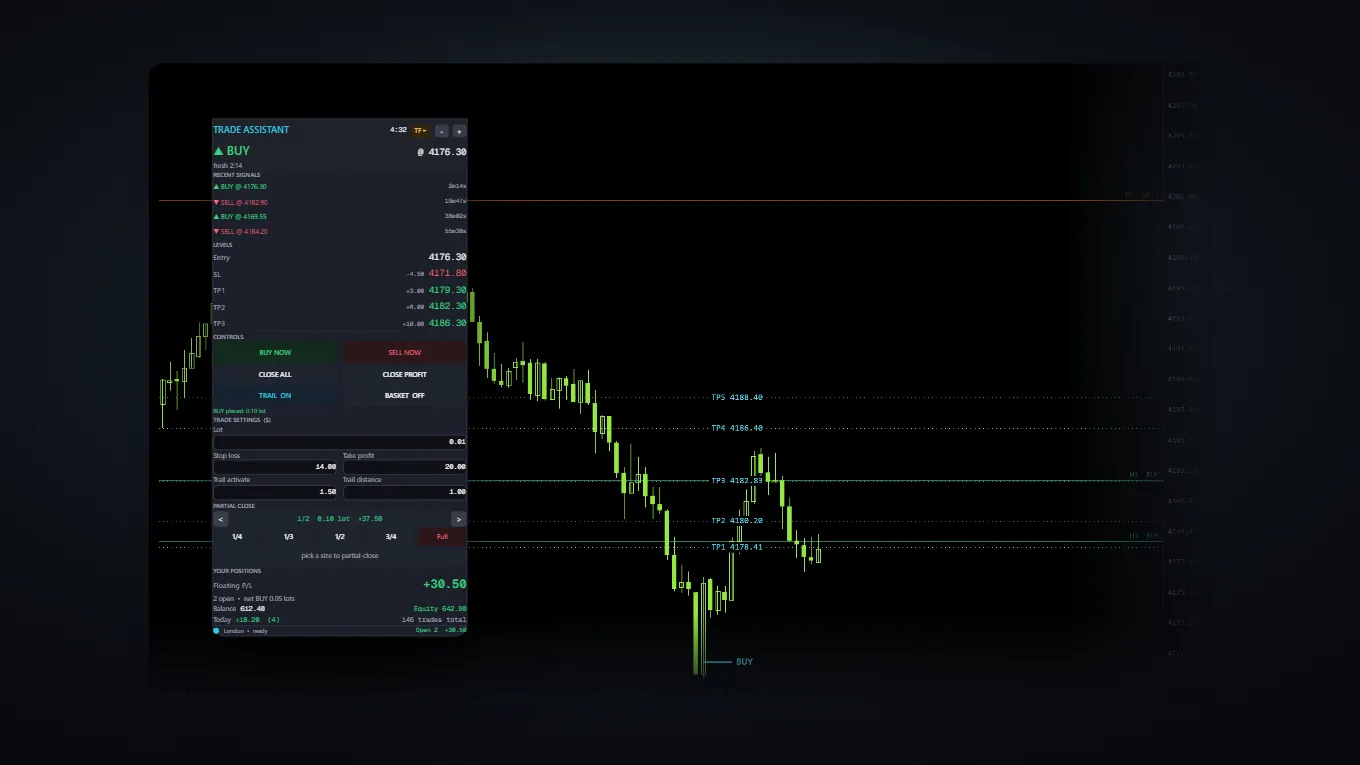
Scalp Tool
The signal, its levels and the buttons — one panel, one chart.
This is a workflow tool, not an automated robot.