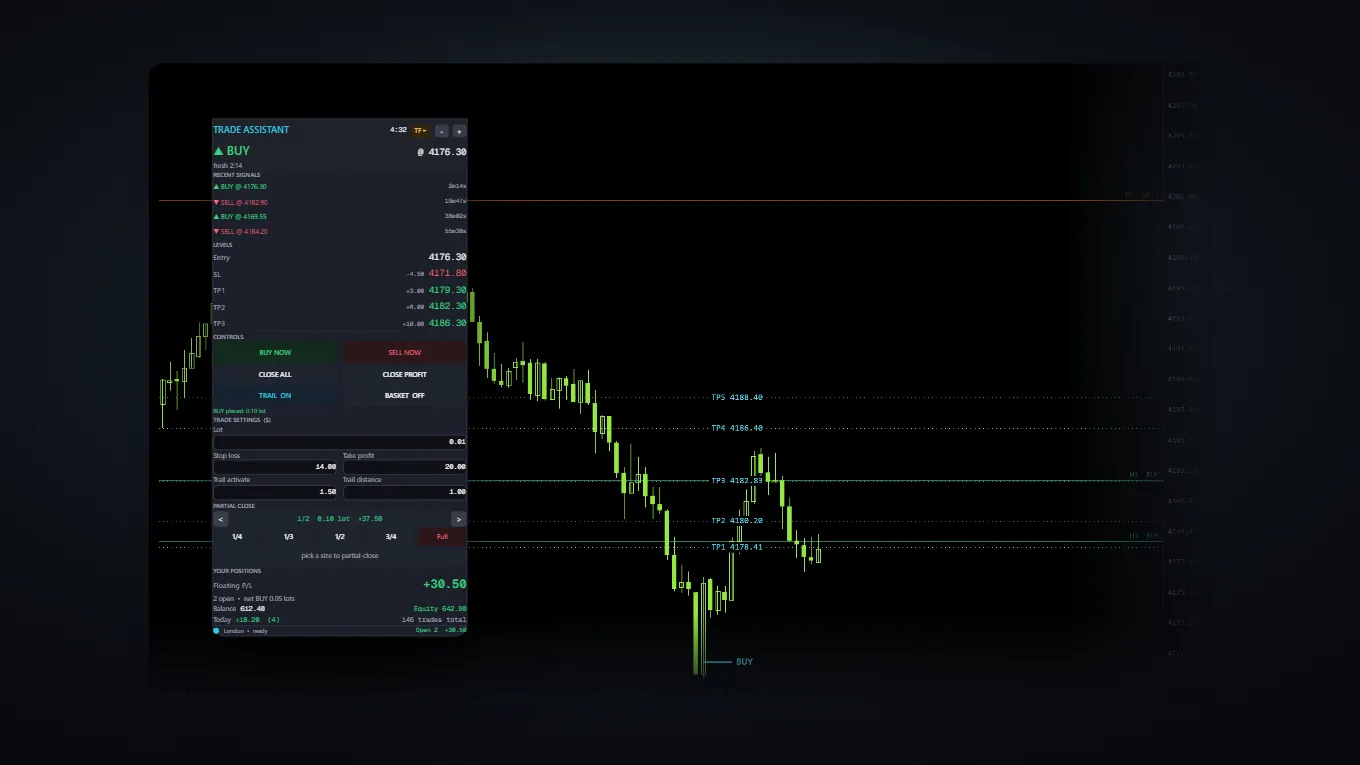
MT5XAUUSDM1
Scalp Tool
The signal, its levels and the buttons — one panel, one chart.
This is a workflow tool, not an automated robot.
$149R 2 750Details →
MetaTrader 5 tools · Gold and forex
For traders who place their own trades. They mark the chart and take the arithmetic out of getting into a position — they do not trade for you, and they do not claim to know where the market is going.
The problem
Doing it by hand
~30 seconds
On a one-minute chart, the entry has moved.
With the panel
~3 seconds
Lot size derived from your stop distance. Stop and targets already placed.
None of that arithmetic is skill — it is friction. Removing it will not make a bad entry good. It will stop a good entry getting away from you.
The tools
They overlap deliberately — one is the other plus a gold signal engine. Each page says what it does not do. Read that part first.
The signal, its levels and the buttons — one panel, one chart.
This is a workflow tool, not an automated robot.
 Coming soon
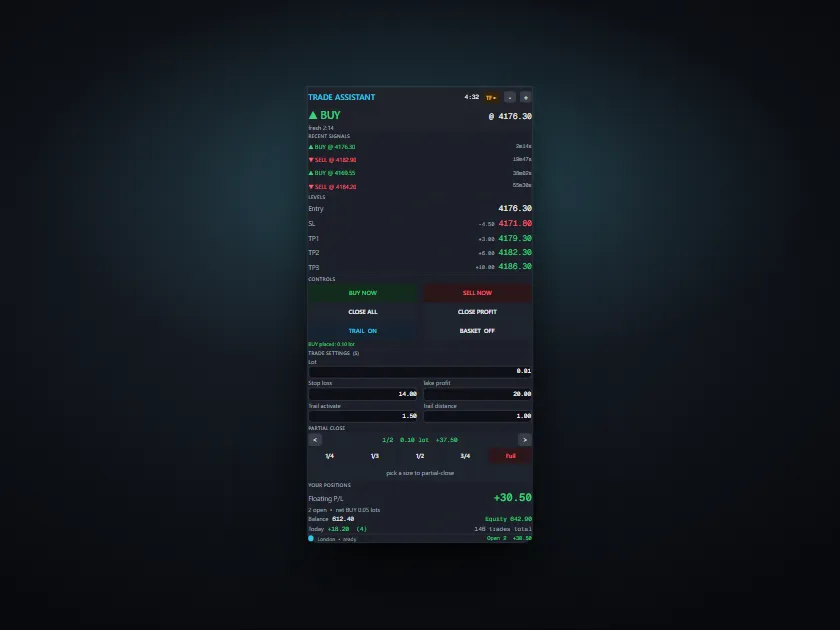
Order entry, risk and exits on the chart — any pair.
This one has no signals in it at all.
Which one
| Scalp Tool | Trade Panel | |
|---|---|---|
| Gold signal engine | Yes | No |
| Trade panel | Yes | Yes |
| Symbols | XAUUSD | Any |
| Levels drawn for you | Yes | No |
| Risk sizing in money | Yes | Yes |
| Price | $149R 2 750 | $79R 1 450 |
Scalp Tool contains everything Trade Panel does. If you trade gold on the one-minute chart, buy Scalp Tool alone. If you trade other pairs and just want the execution half, buy Trade Panel. Buying both means paying twice for the same panel.
Getting it
Card or Instant EFT in rand, card or PayPal in dollars. One payment — there is no subscription and nothing renews.
You land on your own order page and enter the MetaTrader account number your copy should run on. We never ask for a password.
Your copy is compiled against that account and appears on your order page within a few minutes. Drag it onto the chart and it runs.
We ask for your account number, never a password.Anybody in this industry who asks for your MetaTrader password or investor password is trying to rob you.
Specification
Who it is for
These are manual tools. They react in the moment you are watching — nothing runs unattended and nothing trades while you sleep.
If you already think in terms of what you are willing to lose on a trade, the panel does that arithmetic instantly instead of you doing it under pressure.
The faster the chart, the more the seconds cost you. On the one-minute chart they cost you the entry.
You stay in control of every position. The tools mark the chart and place the order you tell them to — the decisions remain yours.
Maintenance
Updates are free for the life of the product. Here is what has actually shipped, so you can judge whether that promise means anything.
Questions
No. Both tools draw on the chart and give you buttons. Every position is opened by you, deliberately, with a click. If nobody is at the keyboard, nothing happens.
You can run it in the MetaTrader Strategy Tester, which shows the panel and the signals against historical bars. It cannot be trialled on a live chart, because the copy you receive is compiled against your account number.
It is the licence. Your copy is compiled to run on that account and nowhere else, so there is no activation server to go down and nothing phoning home while you trade. We ask for the account number only — never a password.
Enter the new number on your order page and we rebuild it. 5 rebuilds are included, which covers a broker change and a few accidents.
Not after delivery, and we say so before you buy rather than after. Your copy is compiled and sent as a file, and a file cannot be recalled. If something is genuinely broken we will fix it or refund you.
If your broker offers the symbol on MetaTrader 5, yes. The risk maths reads the symbol contract details from your own terminal rather than assuming anything.
No. These are manual tools — they only do anything while you are watching. A VPS matters for robots that trade unattended, which these are not.
Not answered? Ask us directly — we reply within a business day.
One payment, compiled for your account, 5 rebuilds and free updates. And a requirements list written to talk you out of it if it does not fit.